construction
View retainage release details from a release batch, bill, or invoice
Retainage release information now displays in four areas of Sage Intacct, streamlining your workflow and offering a comprehensive view across customers and vendors.
What's changed
Accounts Payable
We added a Retainage release details tab to the AP Retainage release page and the Bill details page, with links to most fields so you can easily drill down to the details.
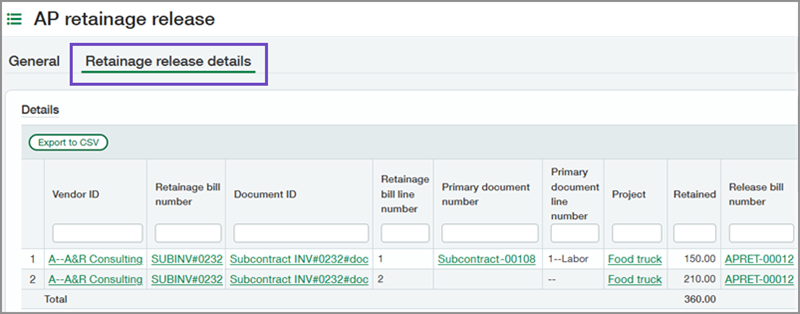
On the AP retainage release page:
To streamline retainage release information, we added a General tab. This tab contains the same Options and Details data that you're used to finding for a retainage release batch, all under a new header.
The new Retainage release details tab displays the data in an AP retainage release batch.
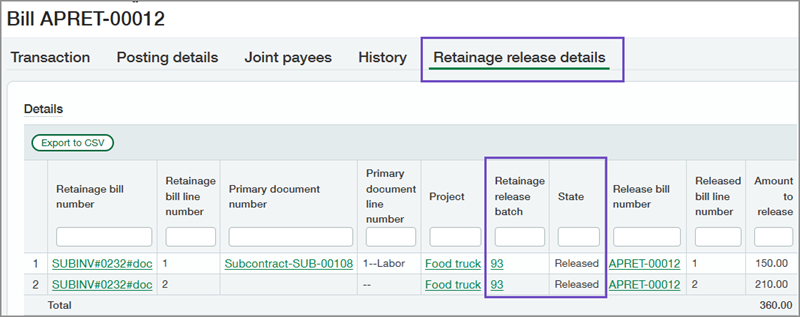
On the Bill details page:
The new Retainage release details tab lists bills that include held retainage amounts.
Now, you can easily find the release batch that generated the bill and tell whether a batch has been processed.
Accounts Receivable
We added a Retainage release details tab to the AR Retainage release page and the Invoice details page, with links to most fields so you can easily drill down to the details.
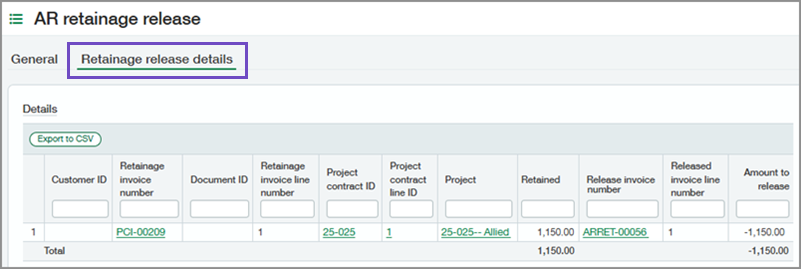
On the AR retainage release page:
To streamline retainage release information, we added a General tab. This tab contains the same Options and Details data that you're used to finding for a retainage release batch, all under a new header.
The new Retainage release details tab displays the data included in an AR retainage release batch.
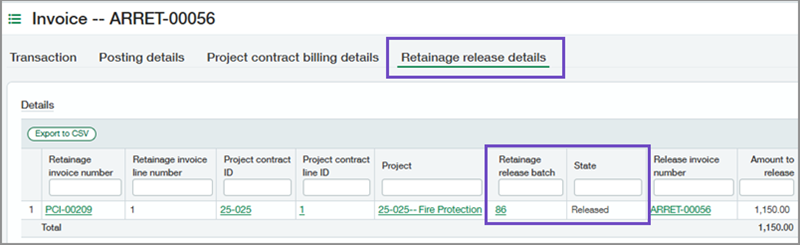
On the Invoice details page:
The new Retainage release details tab lists invoices that include held retainage amounts.
Now, you can easily find the release batch that generated the invoice and tell whether a batch has been processed.
Good to know
In addition to viewing retainage release information, you can perform the following tasks on the Retainage release details tab:
Filter and sort columns.
Export the grid to a CSV file.
Select links for most fields to drill into details.
How it works
To view information for retainage release batches:
Go to either Accounts Payable > All > Retainage or Accounts Receivable > All > Retainage.
Select to view or edit a retainage release batch in the list.
Select the Retainage release details tab.
To view retainage release information for bills:
Go to Accounts Payable > All > Bills.
Select to view or edit a bill in the list.
Select the Retainage release details tab.
To view retainage release information for invoices:
Go to Accounts Receivable > All > Invoices.
Select to view or edit an invoice in the list.
Select the Retainage release details
Permissions and other requirements
| Subscription | Accounts Payable Accounts Receivable Construction Projects |
|---|---|
| Regional availability |
|
| User type | Business Construction Manager Project Manager |
| Permissions | Accounts Payable
Accounts Receivable
|
| Configuration | The Retainage release details tab displays only if you have the required subscriptions, permissions, and user type, and if you have set up Sage Intacct as follows:
|
